Update The Default Approval Policy
Nomatron is in early access. Some advanced workflows may not be covered in the public docs.
On this page
Estimated time: 2 minutes
For the first walkthrough, keep approval simple: require one approval from the user you are signed in as.
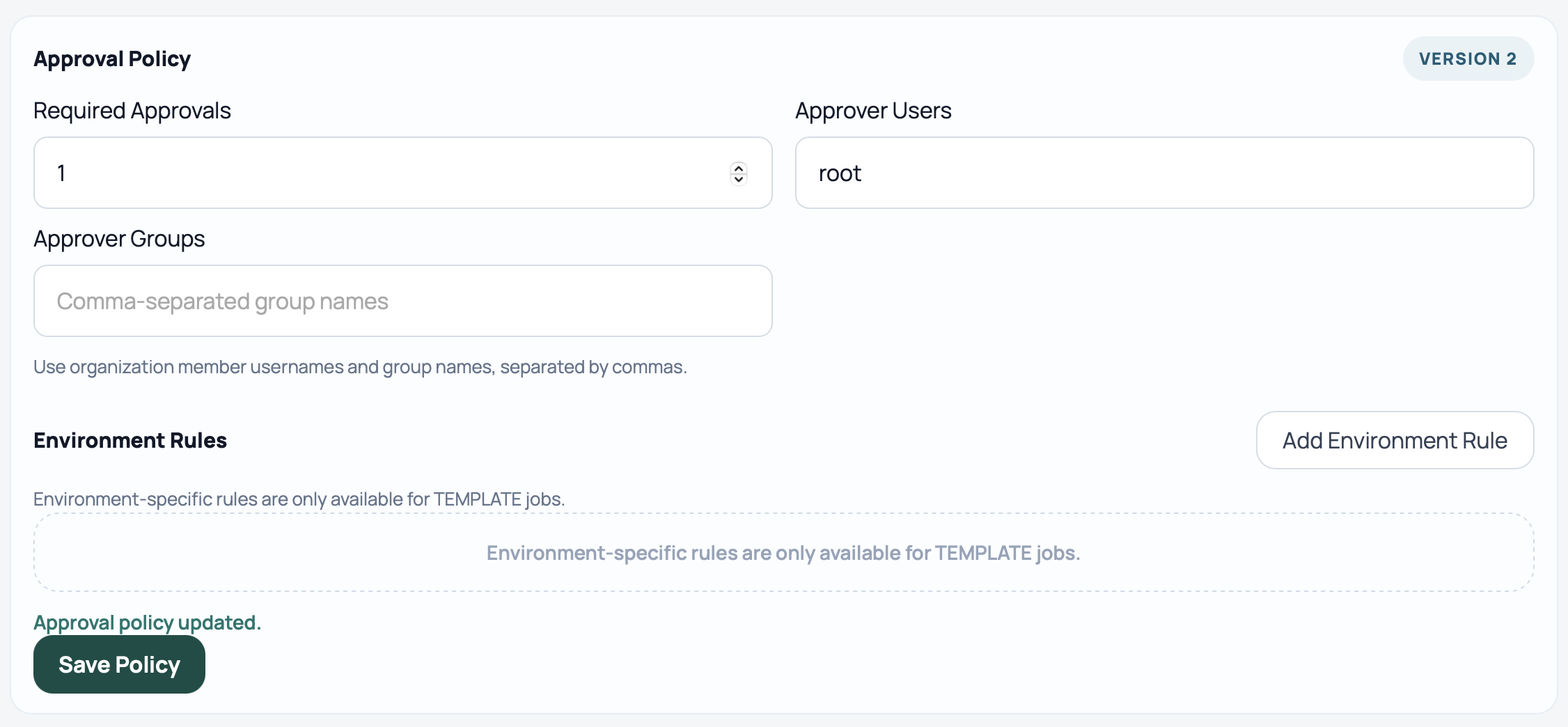
Approval policies specify who can approve deployments for this app. The default rule applies unless an environment-specific rule overrides it.
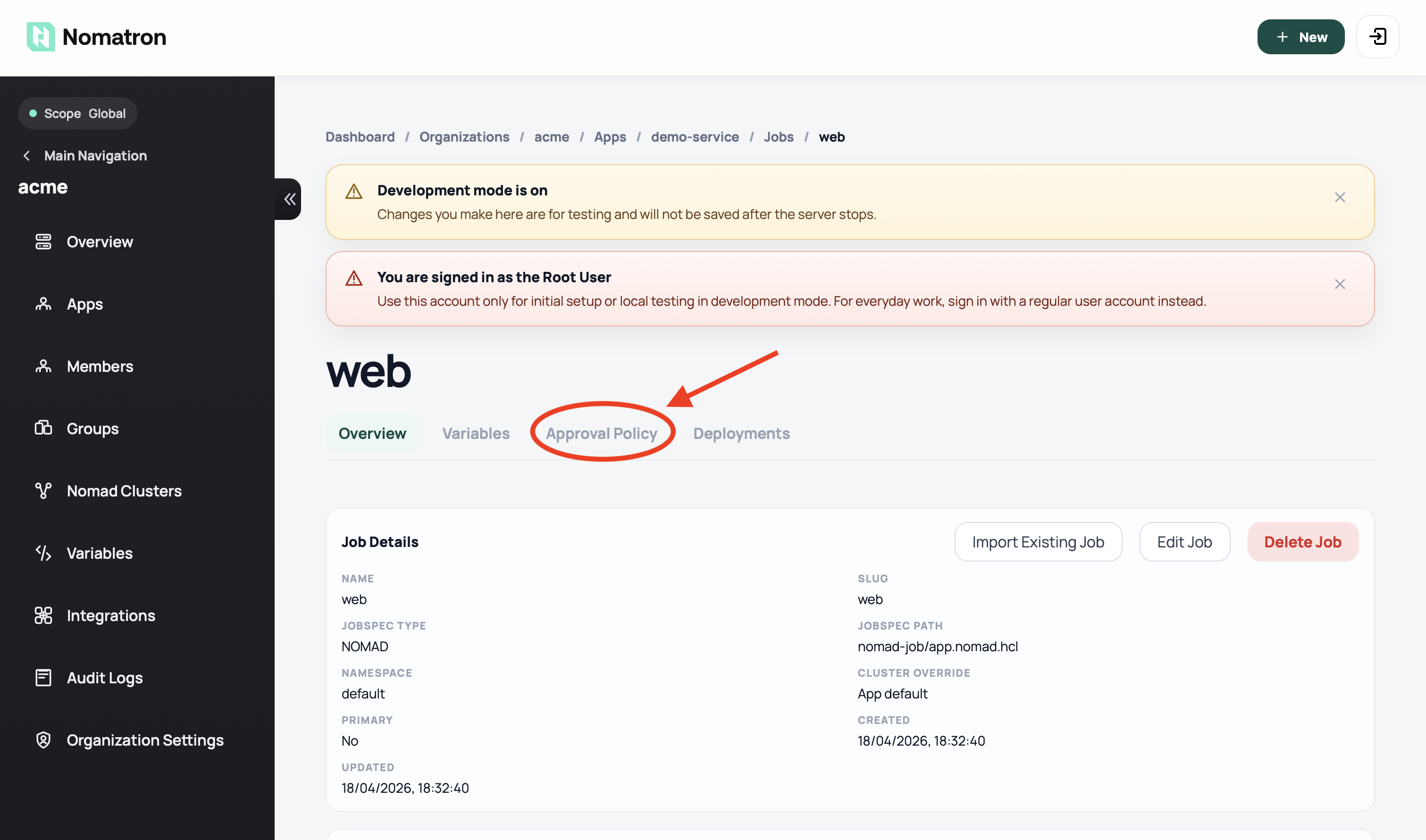
1. Open The Approval Policy Tab
- Open your app.
- Go to
Approval Policy.
2. Add A Simple Default Rule
Set:
Approver Users:rootApprover Groups: leave blankRequired Approvals:1
Save the policy.