Create Your First App and Job
Nomatron is in early access. Some advanced workflows may not be covered in the public docs.
Create Your First App And Job
Estimated time: 4 minutes
This step connects the repository, Nomad cluster, job, and first deployment environment in Nomatron.
For this guide, create a NOMAD job.
1. Create The App
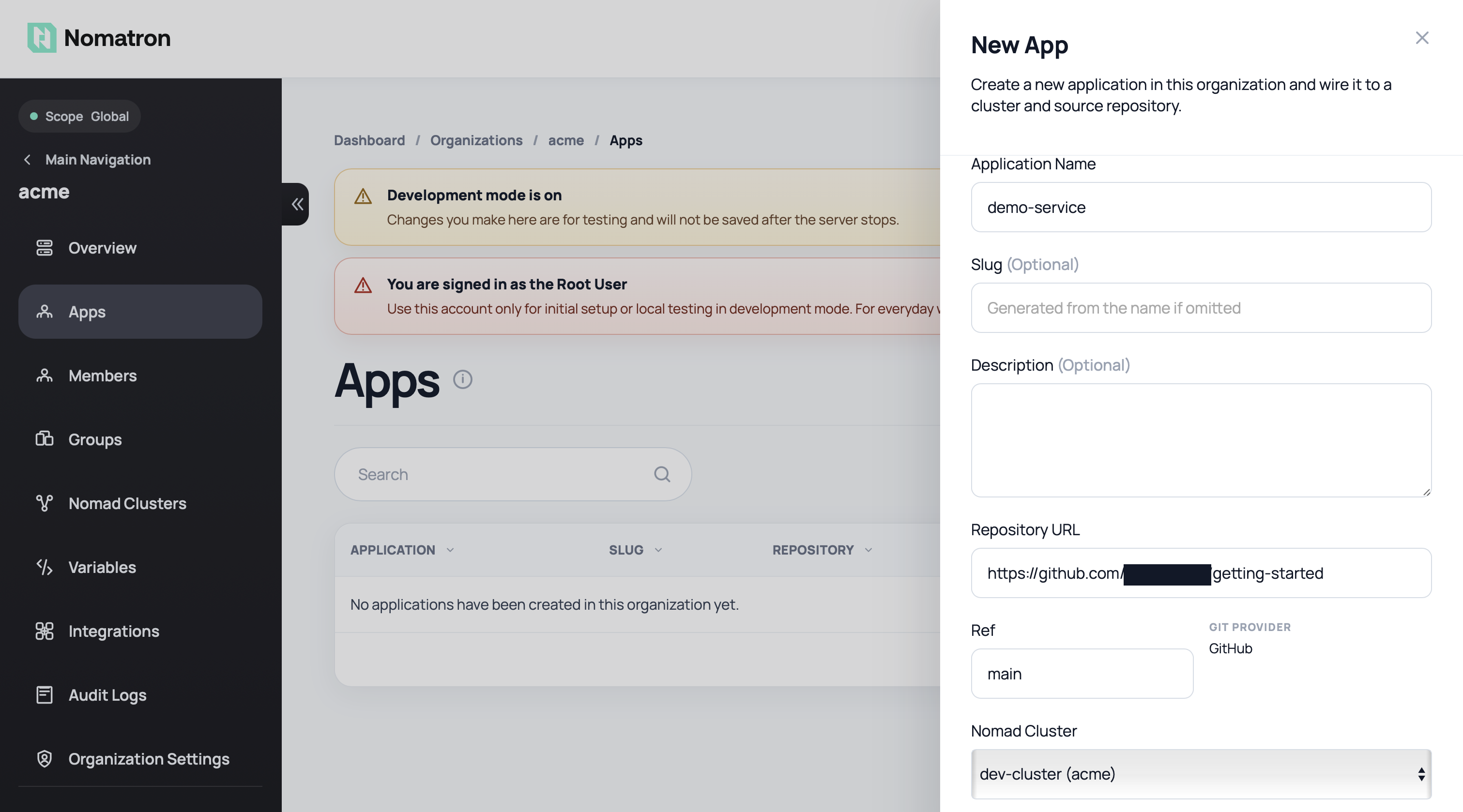
Apps tell Nomatron where and how to connect to your chosen repository.
The app repository URL is required. Jobs inherit this repository unless you choose a job-level repository override.
- Open your organization.
- Go to
Apps. - Click
New App. - Fill in:
Application Name:demo-serviceRepository URL:<YOUR_REPO_URL>Ref:mainNomad Cluster:dev-clusterGitHub App Integration: choose the integration you just created
- Leave
Validate repository access before creatingenabled. - Click
Create.
2. Create The Job
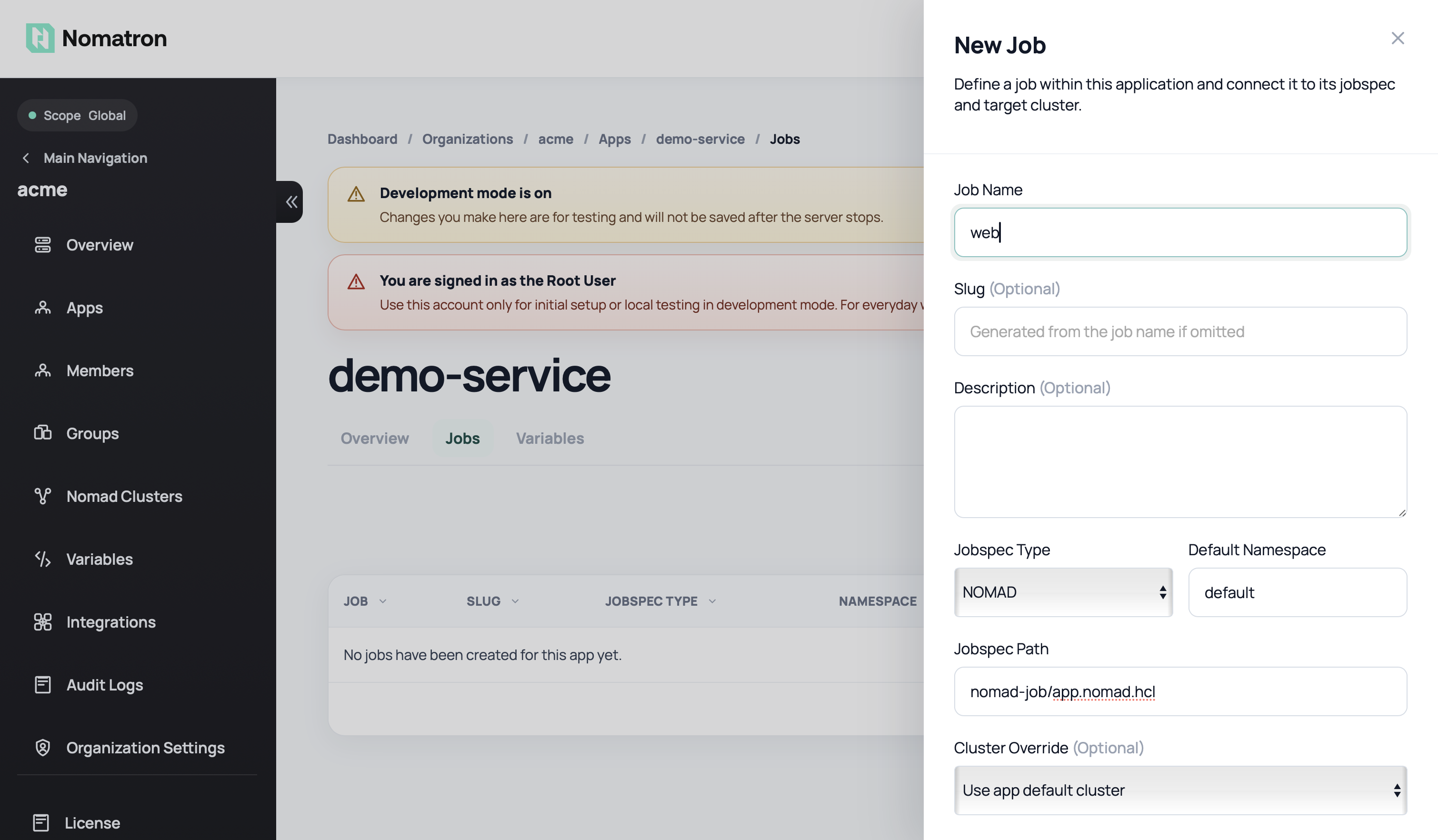
Jobs tell Nomatron which file in the repository to use. The app and its environments decide where the deployment goes.
- Open the app.
- Go to
Jobs. - Click
New Job. - Fill in:
Job Name:webJobspec Type:NOMADDefault Namespace:defaultGroup Priority:10Jobspec Path:<YOUR_JOBSPEC_PATH>Repository Override: leave disabled so the job inherits the app repositoryCluster Override: leave empty unless this job should use a different cluster
- Click
Create.
Do not choose TEMPLATE for this walkthrough.
3. Create The First App Environment
Apps and jobs can be created before environments, but plan and apply operations need an app environment to target.
- Open the app.
- Go to
Environments. - Click
New Environment. - Fill in:
Environment Name:devNamespace:defaultCluster Override: leave empty to use the app default cluster
- Click
Create.

4. Confirm The Wiring
On the app and job overview screens, confirm:
- the effective repository is correct
- the ref is correct
- the jobspec path is correct
- the cluster is correct
- the
devenvironment exists
If one of these values is wrong, update it before planning.
To use a different repository for a specific job, enable the repository override on the job and enter that repository URL. Disable the override again to return the job to app repository inheritance.