Connect Your First Cluster
Nomatron is in early access. Some advanced workflows may not be covered in the public docs.
On this page
Estimated time: 3 minutes
Before Nomatron can deploy anything, it needs a reachable Nomad cluster. For this quick start, use the local Nomad dev agent you started on your machine.
Clusters connect your Nomad cluster to Nomatron so it can deploy there.
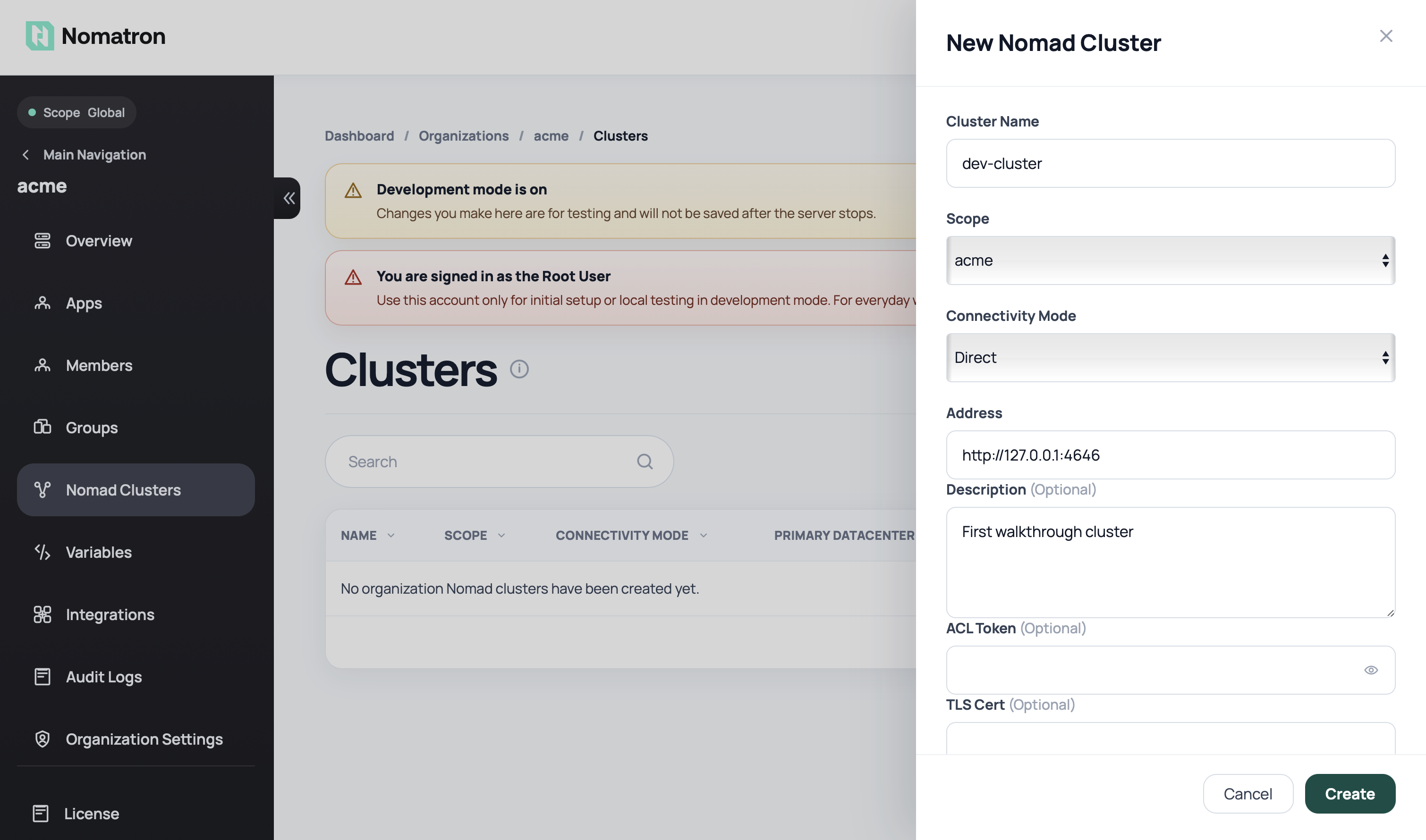
1. Open The Cluster Screen
- Open your organization.
- Go to
Nomad Clusters. - Click
New Nomad Cluster.
2. Enter The Cluster Details
Use a direct connection to your local Nomad dev agent for the fastest first deployment.
Fill in:
Name:dev-clusterDescription:First walkthrough clusterConnectivity Mode:directAddress:http://127.0.0.1:4646
Leave ACL and TLS settings empty for this local dev-agent setup.
3. Save And Verify
- Click
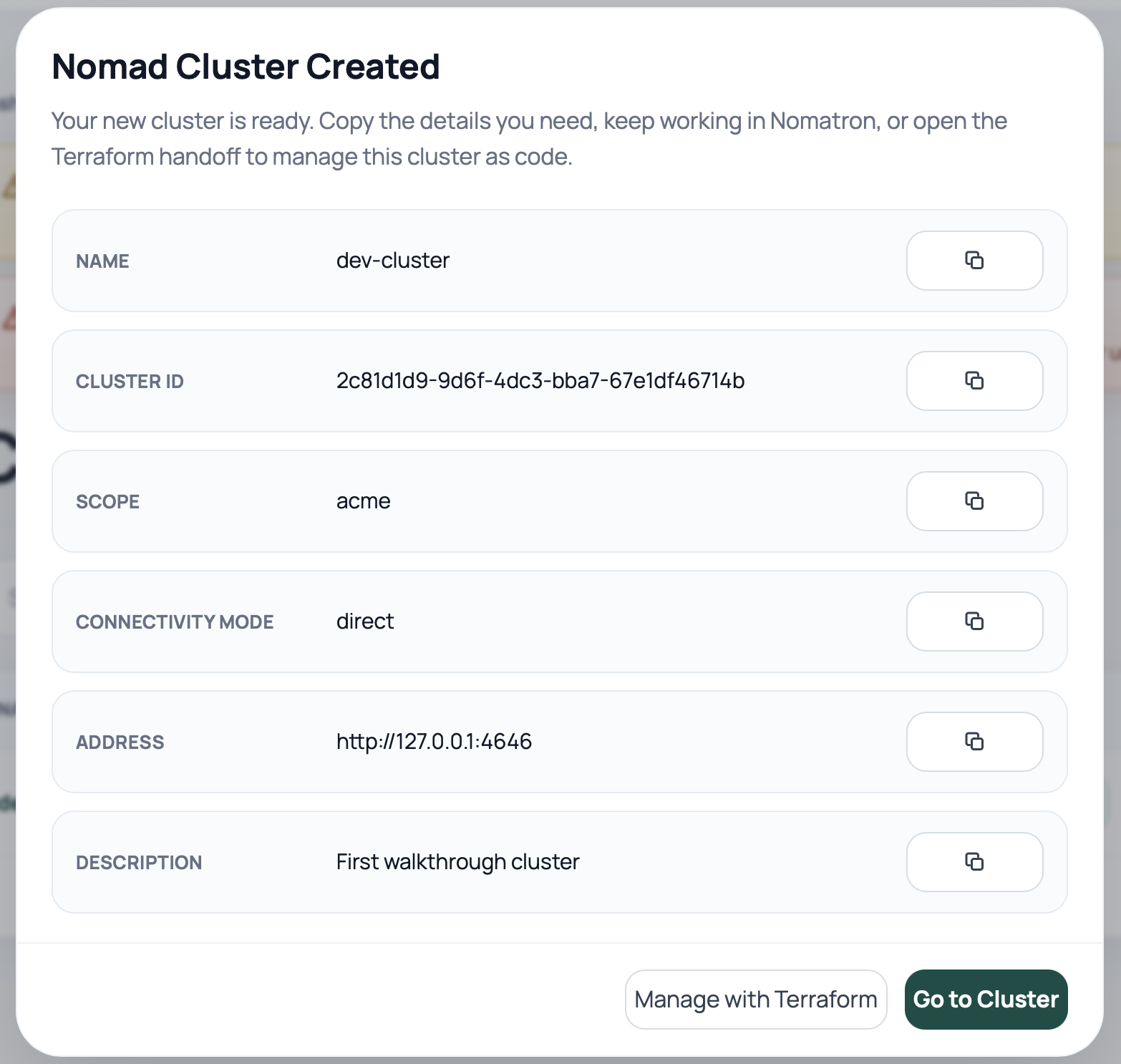
Create. - Nomatron opens a
Nomad Cluster Createdmodal with the cluster name, cluster ID, scope, connectivity mode, and address. - Use that modal to confirm the cluster was created successfully.
- Click
Go to Clusterto open the new cluster directly. - From there, confirm Nomatron can see it without errors.